Teach and review
Review editions and reuse a run
Review student work while the current exercise is still available. Copy the setup if you want to use the same material in a later class.
Review team editions
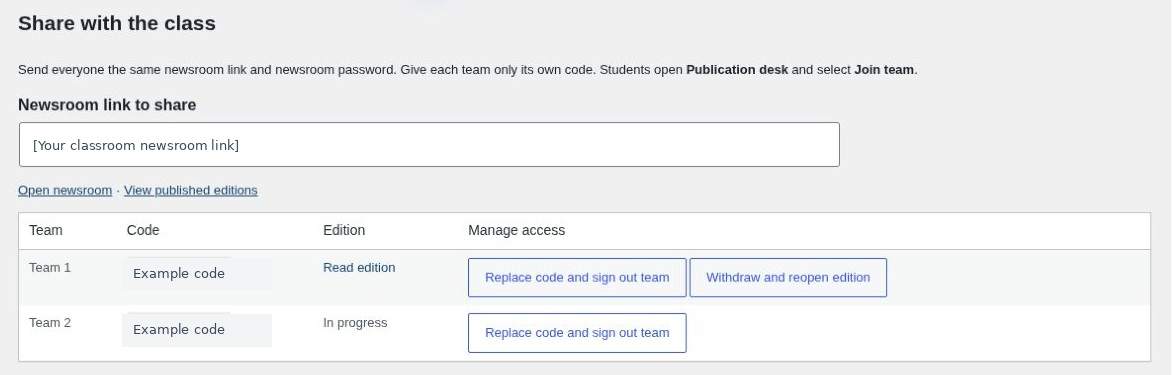
Open Manage team editions from the instructor dashboard. In Share with the class, use Read edition for a published team. In progress means that team has yet to publish.
- Withdraw and reopen edition lets a team correct its submitted work and publish it again.
- Replace code and sign out team gives a team a new code and ends its current editing sessions. Send the replacement only to that team.
Debrief the editorial decisions
Ask teams to compare lead stories, explain why a source changed their mind and identify an important detail they could only confirm late in the round. Use the release timeline to reconstruct what they could have known at that point. The lesson plans include prompts for the task you chose.
Reuse a saved run
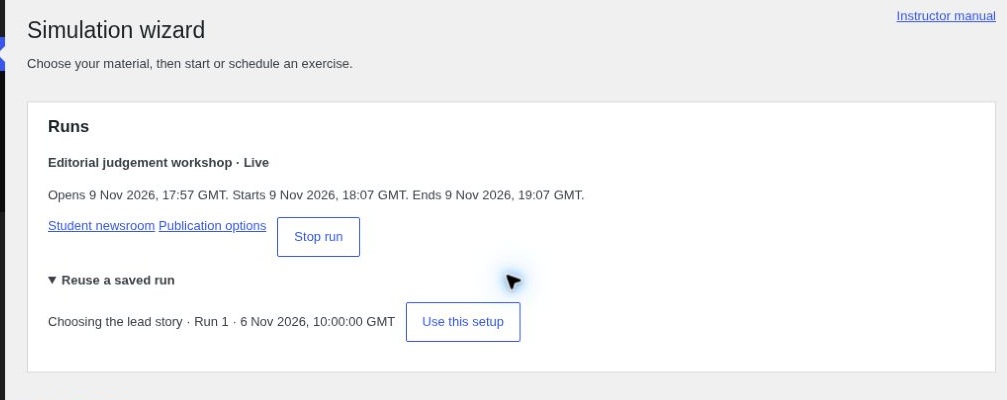
- Open the simulation wizard and expand Reuse a saved run under Runs.
- Find the setup by its exercise name, run number or start time. Select Use this setup.
- Check the sources, stories and pace. Enter the new start time, prepare the content and schedule or start the new run.
Publication options and team codes belong to the run. Set them up again if the next class will publish.